
Picking the wrong tool for something you use every day costs more than people initially calculate. Slow downloads eat into time. Crashing apps mean lost progress on large files. Limited platform support forces you to maintain multiple apps for different sites. And ads the kind that interrupt mid-download or worse, open new browser tabs automatically turn a simple task into something actively unpleasant.
The downloader market on Android is genuinely crowded, and the quality gap between the best and worst options is enormous. Making an informed comparison before committing to one tool saves a lot of frustration later.
What the Competition Looks Like
Several apps compete in this space. Some focus on a single platform built specifically for one video site, handling it well but useless everywhere else. Others take a universal approach but sacrifice reliability for breadth, detecting video sources inconsistently and failing on sites they claim to support. A third category handles downloads adequately but lacks a usable interface, making the experience technically functional but practically aggravating.
Browser extensions for desktop have their own place in this ecosystem, but for Android specifically, dedicated apps are the primary option, and the differences between them become apparent quickly during actual use.
Speed and Reliability Under Real Conditions
Download speed is partially determined by your internet connection, but the app itself plays a role too. How efficiently it establishes the connection, whether it supports multi-threaded downloading that pulls different parts of a file simultaneously, and how gracefully it handles interruptions these factors create noticeable differences between apps on identical connections.
Apps that drop connections mid-download and require restarting from zero are particularly frustrating when you are trying to save a large file. The ability to resume an interrupted download from where it stopped rather than beginning again is a feature that separates capable tools from basic ones.
Platform Support: The Real Differentiator
This is where most comparison conversations end up. An app that supports fifty platforms is categorically more useful than one that supports five, assuming both handle those platforms reliably. The question is not just how many sources are supported but how current that support is platforms change their video delivery methods regularly, and an app that has not been updated recently may list support for sites it can no longer actually access.
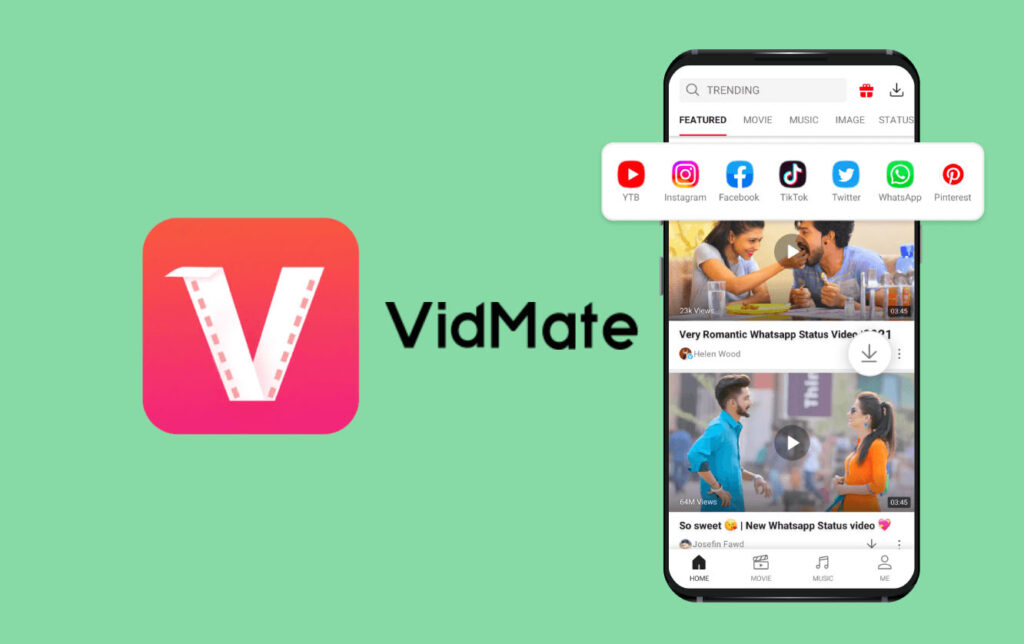
VidMate maintains broad platform support through regular updates, which keeps its compatibility functional rather than theoretical. Competitors that update infrequently often find their supported platform lists gradually becoming fiction as those sites evolve.
User Interface and Everyday Usability
A tool you use multiple times daily should not require effort to navigate. The built-in browser approach where you find and download video within the same interface rather than copying links between apps reduces the number of steps between wanting a video and having it saved locally. Some competing apps require you to find the video elsewhere, copy the URL, paste it into the downloader, and then initiate the save. That workflow functions but creates unnecessary friction for something that should be fast.
Batch downloading is another interface consideration. Apps that force sequential downloads one at a time, each requiring manual initiation are slower and more hands-on than apps that let you queue multiple files simultaneously and step away while they save in the background.
Ad Experience and How It Affects Usability
Free tools need revenue, and advertising is the most common model. The question is how aggressively ads are implemented. Ads that appear between actions a banner while browsing, an interstitial between completing one download and starting the next are tolerable. Ads that interrupt active downloads, redirect the browser without user input, or install additional software alongside the app are not acceptable regardless of how good the core functionality is.
The ad experience is often what separates an app with good features from an app that is actually pleasant to use regularly. Reading user reviews specifically for ad complaints gives a realistic picture of what daily use looks like before you commit to an installation.
File Quality Options and Format Flexibility
Not every download needs to be in the highest available quality. Saving mobile data, working with limited device storage, or simply not needing 4K resolution for casual content are all valid reasons to choose a lower quality option. Apps that offer a full range from low resolution for quick saves to maximum available quality for content you want to watch on a large screen give you control that fixed-quality downloaders do not.
Format options matter too. Some apps download in a proprietary format that only plays within the app itself, locking your content there permanently. Others save in standard formats that any player can handle, giving you flexibility to move, share, or back up files without restriction.
Making the Right Choice for Your Situation
For users who download from a single platform consistently and have no need for broad compatibility, a specialized tool built specifically for that platform might serve perfectly well. For users who pull content from multiple sources, want integrated playback, prefer a single app over several, and value regular updates that maintain compatibility the calculus points toward a more capable universal downloader.
The most useful approach to a best video downloader comparison is always to test against your actual usage. The features that matter most are the ones your specific workflow depends on daily, not the ones that look impressive in a feature list but never come up in practice.
Switching Costs and Commitment
One factor worth considering is what happens to content you have already saved if you switch apps. Downloads saved in standard formats are portable they work in any player and survive an app change without issue. Downloads locked into a proprietary format may become inaccessible if you move away from the app that created them. Starting with a tool that saves in open formats from the beginning removes that concern entirely and keeps your options open regardless of what you decide to use in the future.
READ ALSO: IT Outsourcing Services: A Smart Strategy for US Businesses